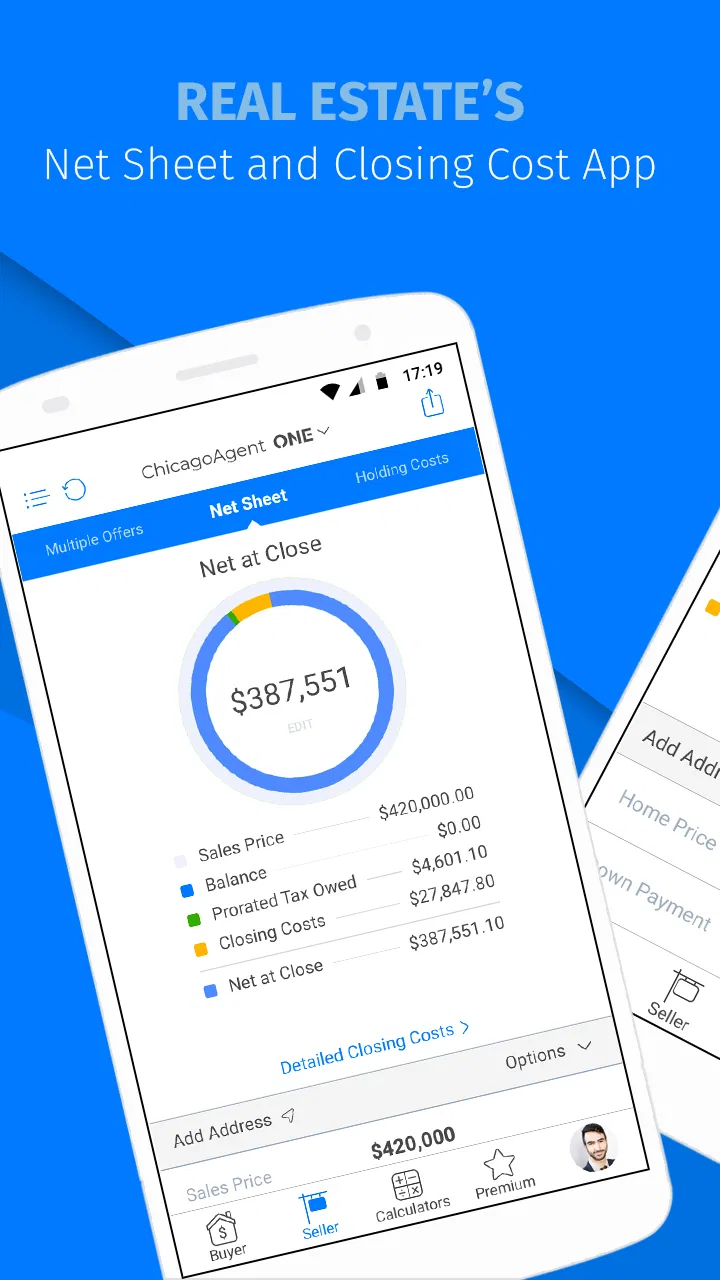
ChicagoAgent ONE
- 4.2
- Rating
- 10.00K
- Installs
- Free
- Price

 Analysis by App-foxy
When I look at ChicagoAgent ONE, I see a focused finance app rather than a general money-management tool. Its audience is real estate professionals, and that narrow purpose is important: this is not the kind of app I would install to track household spending, compare bank accounts, or build a personal budget. I would consider it when my work depends on keeping property-related activity close at hand while moving between appointments, calls, and office tasks.
The app comes from PalmAgent and is free to install, with optional in-app purchases ranging from $0.99 to $9.99 per item. It is rated for Everyone, which makes the basic age classification uncomplicated, although the professional context means its usefulness depends much more on your job than on your age. The Android release has been available since October 10, 2014, and the current version is 4.8.5.1.5, requiring Android 7.0 or later.
Why its real estate focus matters in daily work
The most meaningful capability here is its role as a dedicated workspace for real estate professionals. That sounds simple, but specialization changes how I judge an app. A broad finance application usually asks me to adapt my work to categories designed for personal money, banking, or accounting. ChicagoAgent ONE is more appealing when the work itself is tied to property transactions and the information I need belongs to that professional setting.
You May Also Like

 Pandora - Music & Podcasts
Pandora’s Music Is Easy to Start, but Harder to Recover
Pandora’s strength is its low-effort path from a seed to a station. Its weak spot is how much confidence it asks you to place in connection, setup, and quiet recovery.

 AccuWeather: Weather Radar
AccuWeather Review: A Quick, Clear Forecast for Everyday Decisions
For everyday plans, the best forecast is the one you can understand quickly. AccuWeather makes rain timing, radar, and local conditions easy to act on, with a few trade-offs.

 Hill Climb Racing
Why Hill Climb Racing Still Turns Crashes Into One More Run
A tiny car, a bumpy hill and one more upgrade: Hill Climb Racing keeps resurfacing because its simple chaos makes every near-miss feel personal.

 AliExpress - Shopping App
AliExpress Makes Global Shopping Feel Personal, but Shoppers Bear the Risk
AliExpress turns a global marketplace into a pocket-sized discovery engine. Its reach is useful, its shopping loop compelling, and its trade-offs easy to miss.

 Lords Mobile: Kingdom Wars
Lords Mobile Is a Kingdom-Building Routine, Not a Quick Match
A case-by-case verdict on the building, battles, device demands, and social commitments that make Lords Mobile rewarding for some players and exhausting for others.

 PDF Scanner app - TapScanner
TapScanner Makes Paperwork Easier to Capture, Check, and Share
TapScanner makes scanning with a phone feel less like a rescue operation and more like a dependable step in getting work done. Its capture tools are useful, though not flawless.
More From Our News Desk
View All News


In practice, the value is less about replacing every tool in an agent’s routine and more about reducing the need to treat real estate work as a collection of unrelated notes, messages, and office visits. When I am moving from a property appointment to a client call, a focused app can be easier to return to than a general-purpose finance app that was never designed around the way agents think.
I would describe the app as a companion for professionals who want a mobile point of access to their real estate workflow. That distinction matters because the store summary is brief, while the practical decision is not. If you are an agent, broker, or another property professional, the category tells you why it may deserve a test. If you are simply looking for a personal finance app, the same focus is a reason to skip it.
The app’s audience is also reflected in its adoption. It has passed 10K installs and holds a 4.2 average from 168 ratings, with 77 written reviews. I would read those figures as a sign of a real but specialized user base, not as proof that it will fit every real estate office. A professional app can be useful to a smaller group precisely because it avoids trying to serve everyone.
Turning a mobile device into a work checkpoint
My main takeaway is that the app’s strongest idea is continuity. Real estate work rarely happens in one place. An agent may begin the day at a desk, spend the afternoon at properties, and finish with follow-up conversations away from the office. A mobile-focused tool is most valuable when it gives that changing schedule a consistent checkpoint.
That does not mean I would abandon email, phone calls, document tools, or office systems. Instead, I would use ChicagoAgent ONE as the place I return to when a task belongs specifically to my real estate work. The benefit is organizational: property-related activity is less likely to disappear among personal messages, unrelated financial apps, and paper reminders.
A useful way to approach it is to treat the app as part of a workflow rather than as a complete business replacement. Before an appointment, I would open it to orient myself. After the appointment, I would use it as the place to continue the next professional step. That habit is more realistic than expecting one mobile application to handle every communication, document, and decision involved in a transaction.
A realistic day with ChicagoAgent ONE
Imagine an agent leaving the office for several property appointments. The practical problem is not necessarily a lack of information; it is the friction of switching between scattered sources. A notebook may contain one reminder, a message thread another detail, and an office system the broader transaction context. In that situation, the app’s value comes from giving the agent a dedicated mobile stop between activities.
I would use it before meeting a client to refresh my work context, then return to it immediately afterward instead of relying on memory. If a follow-up can be recorded or continued inside the app’s supported workflow, that is where the focused design earns its keep. The important point is the sequence: prepare, attend, follow up. A professional app becomes useful when it supports that rhythm rather than merely displaying information.
There is also a less obvious benefit for people who work away from a traditional desk. A mobile workspace can make short gaps productive without requiring a full laptop setup. Waiting between appointments, sitting in a parked car before a meeting, or finishing a day away from the office are all moments when a phone-based tool may be more practical than a desktop alternative.
I would still be careful about using any financial or transaction-related app casually in public. A phone screen can be visible to other people, and professional information deserves the same attention I would give it on a computer. The app may help with mobility, but good habits remain necessary: check the recipient before sending anything, avoid rushing through important entries, and keep the device itself protected.
What I would check before making it central to my workflow
The first question I would ask is whether the app matches the way my office already works. A focused real estate tool is only helpful if it fits the surrounding process. If my brokerage relies on a separate platform, I would test a complete small workflow before depending on this app for time-sensitive work. I would want to know whether moving between the two systems feels manageable or whether it creates duplicate entry.
The second question concerns device compatibility. Android 7.0 is the minimum operating system, so I would check the version of the phone or tablet I plan to use before installing it. On a newer device, that requirement should be less of a concern, but agents often keep an older phone as a work device. Compatibility is worth checking early rather than discovering it before an appointment.
I would also examine the purchase prompts during setup and regular use. The app is free, but optional items cost between $0.99 and $9.99 each. That does not automatically make the model unreasonable, especially for a professional tool, yet I would want to understand which functions are included and which require payment before building the app into a team process. A free download can still lead to different costs for different users.
Another practical check is how comfortable I feel entering information on a phone. Mobile convenience has a trade-off: it is faster to access, but a small screen can make detailed work less comfortable than a computer. I would use the phone for short, well-defined actions and reserve long, careful review for a larger screen when possible. That division can prevent speed from turning into mistakes.
The trade-off between focus and breadth
The same specialization that attracts a real estate professional may frustrate someone who wants a broad finance suite. I would not choose this app as a replacement for a banking application, accounting package, investment tracker, or personal budgeting tool. Its identity is tied to property professionals, so comparing it with those products on total financial coverage would be unfair and unhelpful.
The more useful comparison is with ordinary alternatives such as spreadsheets, paper notes, email folders, and a general office platform. A spreadsheet offers flexibility and may be easier to customize, but it also depends heavily on personal discipline. Paper is quick for a temporary note but poor for maintaining a consistent, searchable work routine. Email keeps communication visible, yet it can mix client work with everything else in an inbox.
ChicagoAgent ONE makes more sense when I want a purpose-built place for real estate activity instead of assembling my own system. The trade-off is that a dedicated app may not bend as freely as a spreadsheet or cover as many unrelated tasks as a broad business platform. I would choose focus when consistency matters more than unlimited customization.
There is a second trade-off: a mobile app encourages immediate action, but real estate work often includes details that deserve a slower review. I would not treat the app as permission to rush through sensitive information while walking between appointments. Its best use is to keep the workflow moving, not to remove the need for careful checking.
Who gets the most from it
I think the strongest fit is an individual real estate professional who spends substantial time away from a desk and wants a dedicated mobile companion. Newer agents may appreciate having one professional destination instead of starting with a loose collection of notes and generic apps. Experienced agents may value it if their current routine feels fragmented and they are willing to test a focused tool without expecting it to replace every existing system.
Small teams should approach it more deliberately. Before recommending it across an office, I would have one or two people use it through a normal work cycle and compare the experience with the team’s existing process. The key issue is not whether the app looks convenient in isolation; it is whether everyone can follow the same routine and avoid maintaining duplicate records.
I would be less likely to recommend it to a person who only occasionally handles property-related tasks. Occasional users may get more value from familiar general tools because there is less time to learn and maintain a specialized workflow. I would also skip it if my main goal were personal budgeting or everyday banking. The app’s real estate orientation is not a weakness in its intended setting, but it makes it a poor match for unrelated financial needs.
The Everyone content rating may make the app broadly approachable from an age-classification standpoint, but that should not be confused with universal usefulness. The deciding factor is professional relevance. A teenager, a personal finance hobbyist, or someone shopping for an investment tracker may be able to install it, yet still find that it does not solve the problem they actually have.
My verdict after looking at the complete picture
I see ChicagoAgent ONE as a specialized mobile option for people whose work is already centered on real estate. Its strongest capability is not a flashy feature that I would use once; it is the possibility of keeping property-related work connected while I move through a day that does not happen at one desk. That is a practical advantage when the alternative is a mixture of notes, messages, spreadsheets, and memory.
At the same time, I would not install it expecting a universal finance command center. The free entry point is appealing, but I would review the optional purchases before committing to a long-term workflow. I would also test how well it fits my brokerage’s existing tools, use it on a compatible Android device, and decide which tasks belong on a phone and which deserve a larger screen.
My recommendation is therefore specific: real estate professionals should give it a practical trial built around a real workday, not just a quick installation. Use it before and after appointments, compare it with the notes or spreadsheet system you already rely on, and pay attention to whether it reduces switching or creates another place to update. If it makes your property workflow easier to revisit, its focused design is doing its job. If you need broad personal finance features or a fully customizable business platform, a different category of app will likely serve you better.
For the right user, PalmAgent’s app earns consideration because it stays close to a clear professional need. I would recommend it to an agent who values mobile continuity and is comfortable adopting a dedicated real estate workspace. I would not recommend it simply because it is free or because it sits in the finance category. Its usefulness depends on that narrower question: does your daily work need a focused mobile checkpoint for real estate activity?
FAQs for ChicagoAgent ONE
01What is ChicagoAgent ONE and who is it designed for?
ChicagoAgent ONE is a mobile platform created for real estate professionals working with the Chicago Association of REALTORS®. It brings together tools and resources intended to support agents during daily activities, such as accessing member information, reviewing association updates, and using services connected with real estate work. Before downloading, users should confirm that they are eligible members or affiliated users, since some features may require an active account and proper credentials.
02Do I need an account or membership to use ChicagoAgent ONE?
Yes, access may depend on having valid login details associated with the Chicago Association of REALTORS® or a participating organization. The application is not generally intended to function as an unrestricted public app. During setup, you may be asked to sign in, verify your identity, or accept organization-specific terms. If your credentials do not work, contacting the association or your administrator is usually more effective than repeatedly reinstalling the app.
03What features can I expect after installing ChicagoAgent ONE?
The available tools can vary according to your account type, permissions, and the version installed, but the app is designed to provide convenient access to real estate-related association resources in one place. Depending on eligibility, users may find member services, announcements, educational or professional information, event details, and links to other useful platforms. Some features may open external websites or require a separate sign-in.
04Is ChicagoAgent ONE free to download and use?
The application may be available to download without an upfront charge, but that does not necessarily mean every associated service is free. Certain resources, courses, events, memberships, or professional services may involve separate fees determined by the organization. Users should also consider normal mobile data usage and any charges from external services. Reviewing the official membership and service terms before relying on the app is recommended.
05What should I check before downloading ChicagoAgent ONE on Android or iPhone?
Before downloading, check that your device meets the current Android or iOS requirements, that you have enough storage, and that your operating system is up to date. You should also verify the publisher and download the app only from the official Google Play Store or Apple App Store. Because the app may handle account and professional information, review its requested permissions, privacy policy, and support options before signing in.
Pros
- Centralizes property search
- listings
- and client details in one app.
- Helps agents respond to leads and manage follow-ups while away from the office.
- Provides access to MLS-related tools through a mobile-friendly interface.
- Supports collaboration between agents
- teams
- and brokerage staff.
- Can reduce duplicate data entry by connecting key transaction information.
Cons
- Many features may require an active Chicago Association of REALTORS® account.
- Access and functionality can vary depending on brokerage permissions and MLS setup.
- The interface may feel complex for new agents or occasional users.
- Some tools depend on an internet connection and may be limited offline.
- Users outside the Chicago REALTOR® ecosystem may find the app unsuitable.

ChicagoAgent ONE
Gallery